How to Test Your FiveM Anticheat Without Running Cheats
How to test a FiveM anticheat safely: verify it is loaded, licensed and alerting using server console checks and a staging server - never download a cheat.

Roby Einstein
FairShieldAC Security Team
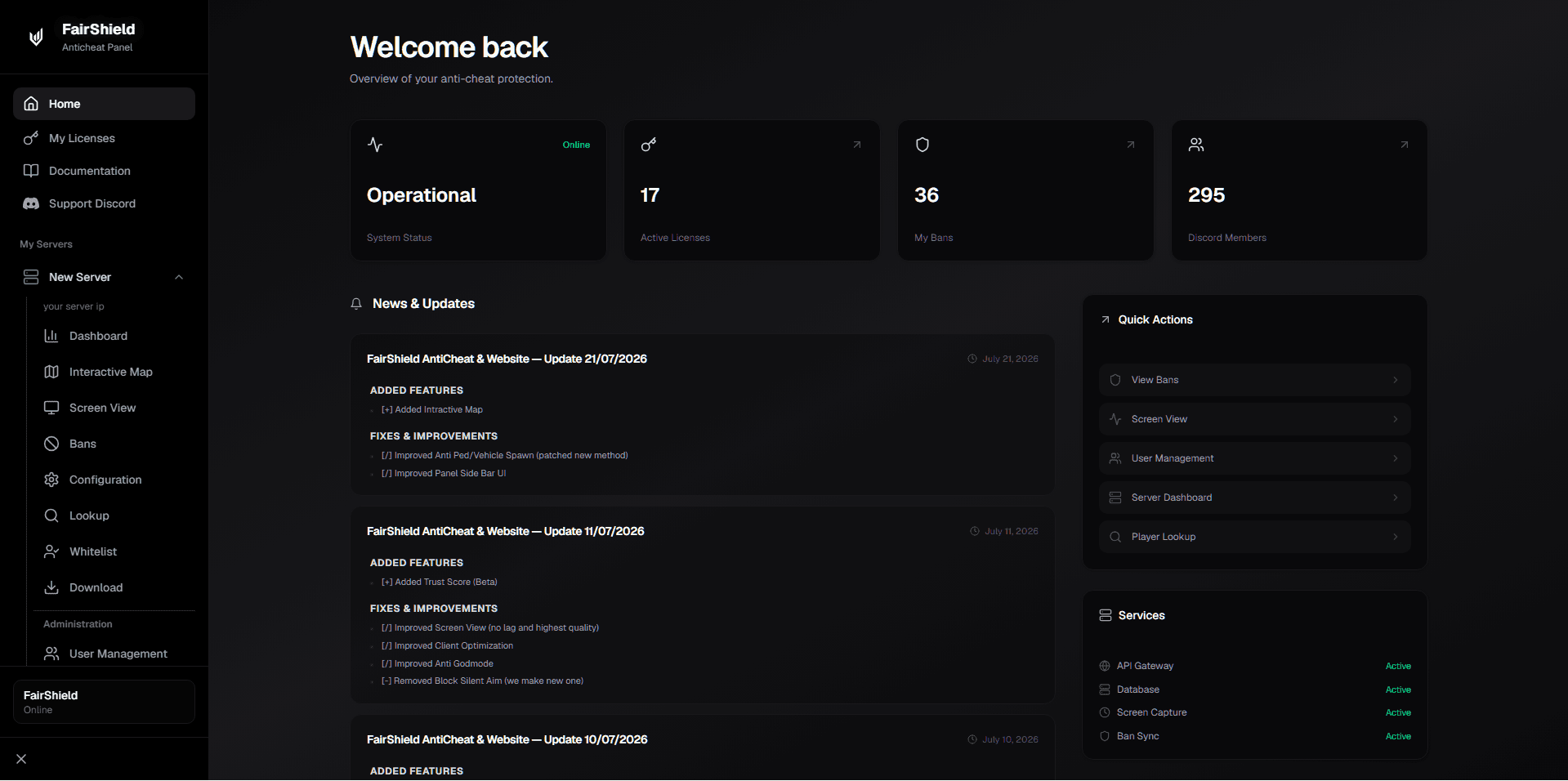
You test a FiveM anticheat from the server side, never by running a cheat. Confirm the resource is loaded and licensed, the detection level is the one you chose, an alert reaches your staff channel, and a ban applies and reverses on a disposable identifier. Then record it. Every step needs console or dashboard access only you have.
An empty detection log is not proof of a broken install. Detection commonly combines client-side checks with server-side behavioural analysis and a confidence threshold, so a quiet week on a small server is often just a quiet week. Our explainer on what a FiveM anticheat is covers the model.
This is the drill you run when nothing is wrong; if a cheater already got through, work backwards from the symptom in why cheaters still get through. Installation belongs to the setup guide.
Can I test my FiveM anticheat by downloading a mod menu?
No. Not in a virtual machine, not on a spare account, not once. There is no caveated version of this, so here is the consequence plainly.
Cfx runs an account-level global ban layer and it does not exempt you for owning the server. One owner installed an anticheat, ran a cheat client once to check it, and was globally banned; the thread is public, the reply blunt: "If you are using cheats, then yes FiveM is going to pick up on that and ban you."
The ban is the visible cost. The quieter one is running an untrusted executable on the machine holding your server credentials, panel login and licence key. Servers survive ban appeals. They do not always survive losing their keys.
Defending is allowed. Cfx's resource FAQ says "you are free to use anticheat resources", and asks anyone already holding a cheat in usable form to send it to [email protected] instead of running it. This guide also will not show you how to fingerprint another server's anticheat from a client seat. That is reconnaissance, not verification.
How to test a FiveM anticheat: the eight checks, in order
Order matters: each check only counts if the one above it passed.
- Confirm it is loaded. Read the state back from the server rather than a panel row.
- Confirm it initialised and is licensed. A failed licence check means it does nothing.
- Confirm the detection level. Know which level is set, and why.
- Confirm no bypass applies. Inherited staff exemptions invalidate the test.
- Confirm alerts arrive. Use a documented admin action, then watch the staff channel.
- Confirm the ban lifecycle. Ban a disposable identifier on staging, then reverse it.
- Confirm overhead. Capture a before and after baseline on staging.
- Confirm the build is current. Compare your version against the vendor changelog.
Prove the resource is loaded, initialised and licensed
Start in the server console. The server commands reference documents refresh as the command that "Rescans the resources folder and loads all resource manifests in them", and ensure as the one that restarts a resource, or starts it if it was not running. Run both and read the output.
For a binary answer, the shared GetResourceState native returns one of missing, starting, started, stopping, stopped, uninitialized or unknown. Only started is a pass. missing means no such resource exists, often a typo; uninitialized and unknown mean it is present but never came up.
If you followed the setup guide, the line to look for after the restart is "Anti-cheat system initialized successfully!" - its absence is your first failed check; do not reinstall on the strength of it. The installation guide documents that line, and the extra server.cfg permission entry artifacts above build 25839 require.
Then check the licence. The licence error reference lists LICENSE_INVALID, LICENSE_EXPIRED, IP_MISMATCH, CONNECTION_FAILED and MAX_SERVERS_REACHED. IP_MISMATCH matters most here: a staging box runs on a different IP than production, so an owner seeing nothing on a fresh test server may simply be unlicensed there.
Check the detection level, and whether your own account is exempt
Some anticheats ship a monitor or log-only mode, switched on during a break-in period and forgotten - a plausible reason a correctly installed product records everything and acts on nothing. FairShieldAC documents no log-only mode; it documents a detection level in the panel: "Low", "Medium: Balanced detection (recommended)" or "High". The same configuration page states that "All bans are permanent", so run the rest on staging.
Next, the check that prevents a wrong conclusion: many servers grant staff ACE permissions that other resources inherit. Cfx's server commands reference documents test_ace, which "Tests if a principal is allowed or denied access to a given object." Run it against any grant your staff accounts hold before interpreting silence, then repeat the test on a non-staff account. Alerts you disagree with are a false positives question.
Why the drill belongs on a staging server rather than production
A staging server is a second FXServer instance kept off the public list. The minimum is your server.cfg, the same artifact build, your resource set, and one of two convars from the same server commands reference: sv_lan, which "makes the server LAN-only" so it "will not appear in the public server list", or sv_master1, which sets the server "private". Read back sv_scriptHookAllowed; Cfx documents the default as false and warns that allowing Script Hook V clients "makes the server vulnerable to security issues", so it should read false on both boxes.
Prove the alert path actually reaches your staff channel
Detection nobody sees is not protection. The path has four links - detection store, dashboard, webhook, staff channel - and any one can break silently. Use a documented administrative action, never a payload: act against a throwaway test identifier from the panel, then confirm it reaches the Bans section and your Discord channel. The FairShieldAC docs list two in-game/console commands for this, fr unban [id] and /fpanel. Wiring detail: Discord alerts and webhooks and txAdmin settings.
Verify the ban lifecycle on a disposable test identifier
Keep this scoped to your own server. What you are measuring is whether your install can write, hold and reverse a record. On staging, read the test account's identifier from the console with status, then ban it from the panel. A pass: rejoin refused, record searchable, record intact after restart, clean reversal. Bans attach to identifiers, not nicknames - see HWID bans.
Check overhead and whether your build is current
Overhead is one row here: record a baseline before the anticheat is enabled and one after, on staging. The F8 resource monitor "monitors the CPU usage and memory usage for each resource", and the profiler guide suggests "A good starting point is 500 frames". The method has its own read: measuring the real cost.
Last, confirm you are running something current. Compare the release version in the vendor documentation against your panel, then read the dated changelog. Cfx's download page offers Recommended and Latest branches with no stated preference, so record which one you run; see which build to use and what FairShieldAC shipped. If verification keeps failing because the vendor stopped shipping, no amount of configuration will fix it: see our best FiveM anticheat roundup.
What evidence should you keep from a verification run?
Keep enough to date a regression and make a support ticket actionable: timestamped console output with the initialisation line, screenshots of the panel entry and staff-channel message, the before and after profiler captures, the artifact build and anticheat version, and a server.cfg diff. None of that proves your server is clean. It proves the pipeline was wired on a known date.
| What to verify | How to check it | What a pass looks like |
|---|---|---|
| Resource state | Run refresh then ensure in the console, and read the state back from GetResourceState | The state reads started, not missing, stopped, uninitialized or unknown |
| Initialisation | Read the server console output immediately after the restart | The vendor's documented initialisation line appears, with a timestamp |
| Licence | Watch for LICENSE_INVALID, LICENSE_EXPIRED, IP_MISMATCH, CONNECTION_FAILED or MAX_SERVERS_REACHED | No licence error at all, and on staging the test IP is registered |
| Detection level | Open the configuration panel and read the selected level | The level shown is the one you chose deliberately and wrote down |
| Staff exemption | Run test_ace against the principals and objects your staff accounts hold | You know which accounts are exempt, and your test account is not one |
| Alert path | Take a documented admin action against a throwaway test identifier | An entry appears in the dashboard and a message lands in the staff channel |
| Ban lifecycle | Rejoin on the test account, restart the server, then reverse the ban | Rejoin refused, record intact after restart, clean reversal |
| Overhead | Capture a resource monitor and profiler baseline before and after, on staging | Two saved captures you can compare against the budget you set |
| Build currency | Compare your panel version with the documented release version and the changelog | You are on a current build and you know the date of the last change |
How often should you re-run the drill?
Re-verify after every artifact update, anticheat update, significant script change, server.cfg edit, and before a wipe or launch event. They are all one event: something underneath the anticheat moved. An install can break on the day an unrelated update shifts something below it. If you are still choosing, the vendor questions are in does a FiveM anti cheat stop all cheats.
Frequently asked questions
How do I know if my FiveM anticheat is actually running?
Run refresh and then ensure in your server console, and read the state back rather than trusting a panel row. The shared GetResourceState native returns missing, starting, started, stopping, stopped, uninitialized or unknown; only started is a pass. Then confirm the vendor's initialisation line printed after the restart, with no licence error beside it.
Why is my FiveM anticheat not detecting anything?
Usually one of three things: nobody is cheating right now, the product is loaded but set to a low detection level, or it never initialised. Check the last one first with the console steps above - if it is loaded, licensed and set to Medium and cheaters still get through, that is a different diagnosis, and we walk it there in why cheaters still get through.
Do I need a staging server to test a FiveM anticheat?
You want one for anything involving a ban. A staging server is a second FXServer instance kept off the public list with sv_lan or sv_master1, running production's artifact build and resource set, so you can ban and unban a disposable identifier without touching a real player's record. Expect IP_MISMATCH until the staging IP is registered.
Will I get banned for testing my own server's anticheat?
If you test by running cheat software, plausibly yes. Cfx operates an account-level global ban system and makes no exception for server owners; a public forum thread records an owner who used a cheat client once on their own server and was globally banned. Nothing here requires cheat software, and none of it works from a client seat.
Run it once, then put it on a schedule
Stand up staging this week and work down the eight checks. A failed step arrives with a ticket a vendor can act on, and FairShieldAC's real-time dashboard and Discord webhook alerts are what this drill leans on; see plans. For background, read what a FiveM anti cheat does, and compare our best FiveM anti cheat roundup. That is the whole claim this drill makes, and it is worth making on a date you can point to.